Disclosure: We earn commissions when you shop through the links below.
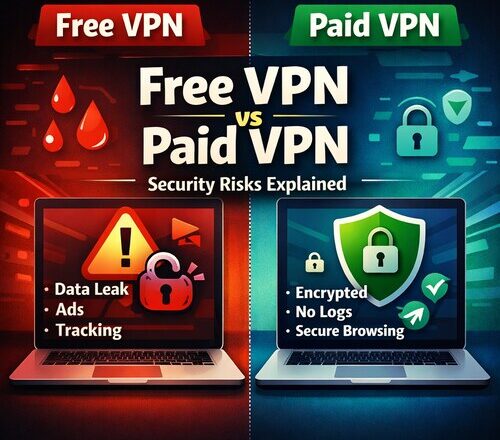
Free VPN vs paid VPN is a common debate today, especially for PC users who want better privacy and security online. Using a VPN on a PC has become almost normal now. Whether it is connecting to public Wi-Fi, accessing work tools remotely, or simply trying to browse privately, VPNs are everywhere. A quick search shows hundreds of free VPNs promising unlimited access, fast speed, and full security. At the same time, paid VPN services claim better privacy, stronger encryption, and zero logging.
For PC users, especially on Windows systems, the choice between a free VPN and a paid VPN is not just about cost. It directly affects your data security, privacy, and even your system’s safety. In this article, we will break down free VPN vs paid VPN in detail, explain the real security risks of free VPNs, and help you decide whether a paid VPN is worth it for your PC.
This guide is written from a practical user perspective, not marketing hype.
What a VPN Actually Does on Your PC
Before comparing free VPN vs paid VPN security, it is important to understand what a VPN really does.
A VPN creates an encrypted tunnel between your PC and the internet. Instead of your data going directly to websites through your internet service provider, it passes through a VPN server first. This hides your IP address, encrypts your traffic, and protects your data from interception.
For PC users, VPNs are commonly used for:
- Securing public Wi-Fi connections
- Protecting personal data on shared networks
- Avoiding tracking by advertisers
- Accessing region-restricted content
- Improving privacy while browsing
The level of protection you get depends entirely on the VPN service you choose.
Free VPN vs Paid VPN: The Core Difference
The biggest difference between free VPNs and paid VPNs is how they make money.
Free VPNs do not charge users, so they need another way to earn revenue. Paid VPNs rely on subscriptions, which changes their priorities.
This single difference affects everything from security and privacy to speed and reliability.
Security Risks of Free VPNs for PC Users
Free VPNs are attractive, especially if you just want quick access or temporary protection. But most PC users are unaware of the risks involved.
1. Data Logging and Selling User Information
Many free VPNs log user activity. This includes:
- Browsing history
- IP addresses
- Connection timestamps
- Device information
Some free VPN providers openly mention this in their privacy policies. Others hide it in complicated legal language.
For PC users, this is dangerous because your browsing data can be sold to advertisers, analytics companies, or even third parties you have never heard of. Instead of protecting privacy, a free VPN can actually increase tracking.
This is one of the biggest security risks of free VPNs.
2. Weak Encryption Standards
Encryption is the backbone of VPN security. Paid VPNs usually use strong encryption protocols like AES-256 with modern tunneling standards.
Many free VPNs use outdated or weak encryption to save server costs. Some even rely on basic encryption that can be broken with modern tools.
For PC users handling work files, online banking, or personal documents, weak encryption puts sensitive data at risk, especially on public Wi-Fi networks.
3. Malware and Adware Risks
One of the most overlooked dangers of free VPNs for Windows PC users is malware.
Some free VPN applications bundle:
- Adware
- Tracking scripts
- Browser hijackers
- Background processes that consume system resources
In extreme cases, free VPNs have been found injecting ads into web pages or redirecting traffic through suspicious servers.
Installing such software on your PC can slow down performance, compromise browser security, and create long-term system issues.
4. Limited Bandwidth and Speed Throttling
Free VPNs usually have strict bandwidth limits. Some allow only a few hundred megabytes per day. Others throttle speed after a short time.
From a security standpoint, this becomes a problem because:
- VPN connections drop unexpectedly
- Users switch back to unsecured connections
- Background apps may leak data when the VPN disconnects
PC users running updates, cloud backups, or video calls can unknowingly expose data when free VPN limits are hit.
5. No Kill Switch or Leak Protection
A kill switch is a critical VPN feature that blocks internet access if the VPN connection drops.
Most free VPNs do not offer:
- Kill switch
- DNS leak protection
- IPv6 leak protection
Without these, your real IP address can leak even while the VPN appears connected. This defeats the entire purpose of using a VPN on a PC.
Using a VPN becomes especially important on public Wi-Fi networks, where attackers can intercept unprotected data. If you want a deeper breakdown, read our detailed guide on is public Wi-Fi safe on Windows 11.
Paid VPN Security Benefits for PC Users
Now let’s look at how paid VPNs compare in terms of security and reliability.
1. Strong No-Logs Policies
Reputable paid VPN services operate on strict no-logs policies. This means they do not store browsing activity, IP addresses, or connection logs.
For PC users, this ensures true privacy. Even if someone requests data, there is nothing meaningful to share.
This is a major advantage in the free VPN vs paid VPN security comparison.
2. Advanced Encryption and Protocols
Paid VPNs invest heavily in security infrastructure. Most use:
- Military-grade encryption
- Secure tunneling protocols
- Regular security audits
This ensures that your data remains protected even on unsecured networks like airport or café Wi-Fi.
For Windows PC users handling sensitive work or personal information, this level of encryption is essential.
3. Built-In Security Features
Paid VPNs typically include advanced features such as:
- Kill switch
- DNS leak protection
- Split tunneling
- App-level protection
- Automatic Wi-Fi security alerts
These features work quietly in the background and prevent accidental data leaks.
Free VPNs rarely offer such protections.
4. Better Performance and Stability
Paid VPNs operate large server networks with proper load management. This results in:
- Faster speeds
- Stable connections
- No random disconnections
Stable VPN connections are not just about convenience. They are important for security. A stable VPN reduces the risk of data leaks caused by dropped connections.
5. Regular Updates and Customer Support
Paid VPNs release regular updates to fix bugs, improve security, and support new Microsoft Windows versions.
They also provide customer support if something goes wrong.
Free VPNs usually offer no support and may abandon their apps without warning, leaving users with outdated and insecure software.
Looking for mobile protection? Read our guide to the top free security and antivirus apps for iPhone and iPad.
Free VPN vs Paid VPN for Windows 10 and 11
Windows 10 and Windows 11 handle networking differently compared to older systems. Modern Windows versions include advanced networking features, background syncing, and telemetry services.
Free VPNs often struggle to handle:
- Windows background processes
- System updates
- Multiple simultaneous connections
This can lead to DNS leaks or unprotected traffic.
Paid VPNs are designed to integrate properly with Windows networking, ensuring full protection even when the system is under load.
Are Free VPNs Ever Safe for PC Users?
Not all free VPNs are completely unsafe, but they come with serious limitations.
Free VPNs may be acceptable if:
- You use them temporarily
- You avoid sensitive activities
- You understand the privacy trade-offs
They are not recommended for:
- Online banking
- Work-related tasks
- Public Wi-Fi usage
- Long-term privacy protection
If security matters even slightly, free VPNs are a risky choice for PC users.
Is a Paid VPN Worth It?
When comparing free VPN vs paid VPN, the question should not be about price alone. It should be about value and risk.
A paid VPN subscription often costs less than a cup of coffee per month. In return, you get:
- Real privacy
- Strong encryption
- Protection against data leaks
- Better performance
- Peace of mind
For most PC users, especially those using Windows 10 or 11, a paid VPN is absolutely worth it.
How to Choose the Right VPN for PC Security
If you decide to go with a paid VPN, look for these features:
- Clear no-logs policy
- Strong encryption standards
- Kill switch support
- DNS and IP leak protection
- Windows-optimized app
- Transparent privacy policy
Avoid VPNs that make unrealistic promises or hide important details.
If you frequently connect to public networks while traveling or working remotely, understanding Wi-Fi risks is just as important as choosing the right VPN. You may also want to read our guide on is public Wi-Fi safe on Windows 11 to stay fully protected.
Final Verdict: Free VPN vs Paid VPN
The free VPN vs paid VPN debate becomes clear once you understand the risks.
Free VPNs come with hidden costs. These costs are often paid with your data, privacy, or PC security. Weak encryption, data logging, malware risks, and unstable connections make free VPNs unsuitable for serious use.
Paid VPNs, on the other hand, are built with security as the core focus. They protect your data, respect your privacy, and provide a reliable experience on Windows PCs.
If you care about security, privacy, and long-term peace of mind, a paid VPN is the smarter and safer choice.
FAQs: Free VPN vs Paid VPN
Are free VPNs safe to use on a Windows PC?
Free VPNs are generally not safe for long-term use on a Windows PC. Many free VPNs log user data, show intrusive ads, or use weak encryption. Some even bundle adware or trackers that can slow down your system and compromise privacy. While a free VPN may work for basic browsing, it is risky for activities like online banking, work-related tasks, or using public Wi-Fi.
Why do paid VPNs offer better security than free VPNs?
Paid VPNs rely on subscriptions instead of ads or data selling, which allows them to focus on security and privacy. They usually offer strong encryption, strict no-logs policies, kill switch protection, and better leak prevention. For PC users, especially on Windows 10 and 11, paid VPNs provide more stable connections and reduce the risk of data exposure.
Should I use a free VPN or paid VPN for public Wi-Fi on PC?
If you regularly use public Wi-Fi on your PC, a paid VPN is strongly recommended. Free VPNs often fail to protect against data leaks when connections drop or bandwidth limits are reached. Paid VPNs maintain stable encrypted connections and include safety features that keep your data secure on open networks like cafés, airports, and hotels.

Ankit is the tech blogger behind MyTechMarvel.com, sharing practical guides and honest software reviews since 2014. He focuses on Windows and PC tools, mobile apps, account security, and everyday tech solutions to help readers make informed decisions.