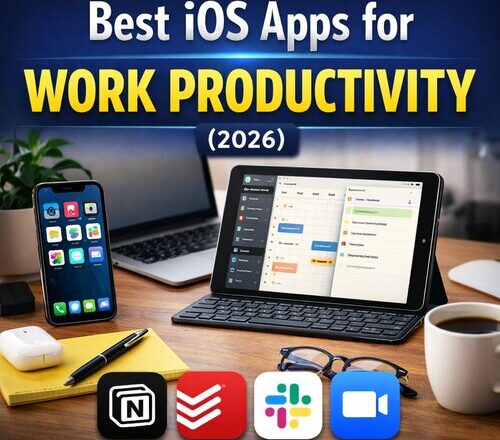
Work has changed a lot in the last few years, and in 2026 many professionals in the USA work remotely, manage hybrid schedules, or handle multiple projects at once. Because of this shift, finding the best iOS apps for work productivity has become essential for professionals who rely on their iPhone or iPad every day. These devices are no longer just for calls and messages. They have become serious productivity tools that help people plan work, stay focused, and get more done on the go.
With the right iOS productivity apps, you can manage tasks, write documents, attend meetings, organize ideas, and stay focused without opening a laptop. The challenge is choosing apps that actually help, not apps that add more distraction.
As someone who has tested productivity apps for years, I can confidently say that a few well chosen apps can save hours every week. In this guide, I will share the best iOS apps for work productivity in 2026, based on real usage, reliability, and value for professionals in the USA.
Why iOS productivity apps matter in 2026
The Apple ecosystem is one of the biggest reasons professionals prefer iPhone and iPad for work. Apps sync smoothly across devices, security is strong, and performance is stable. In the USA (in some other countries as well), many companies allow employees to work from personal devices, making productivity apps even more important.
Good productivity apps help you do three things better:
- First, they reduce mental load by organizing tasks and information.
- Second, they help you focus by cutting distractions.
- Third, they save time by automating small but repetitive work.
In fact, many professionals now combine iOS productivity apps with AI tools that automate daily work, such as writing emails, organizing tasks, and managing projects, which is why choosing the best AI tools for small businesses can further improve overall work efficiency.
Not every app does this well. Some apps look good but feel slow or confusing in daily use. That is why experience matters when choosing the right tools.
Notion: All in one workspace for professionals
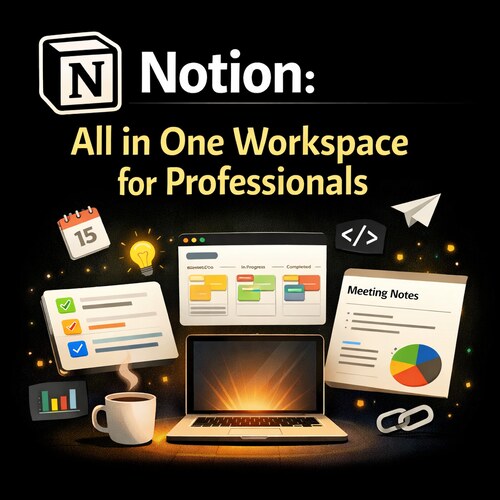
Notion remains one of the strongest productivity apps for iOS in 2026. It works well for professionals who want one place to manage notes, tasks, documents, and planning.
On iPhone and iPad, Notion feels smooth and well designed. You can quickly write meeting notes, track work tasks, or manage personal projects. Many professionals in the USA use it for remote work because it supports collaboration without feeling heavy.
What makes Notion powerful is flexibility. You can keep things simple or build detailed systems as your work grows. For freelancers, startups, and remote teams, Notion can replace several apps at once.
Todoist: Simple task management that works
Todoist is one of the best productivity apps for iPhone if your main problem is task overload. It does not try to do everything, and that is exactly why it works so well.
The app lets you create tasks quickly, set priorities, and add deadlines. On iOS, the interface is clean and fast. You can add tasks using natural language, which saves time during busy workdays.
Many professionals in the USA prefer Todoist because it fits both personal and work tasks. It syncs across devices and integrates with popular tools like Google Calendar, making it a reliable daily companion.
Microsoft Outlook: Email and calendar done right
Email is still a major part of work productivity in the USA. Microsoft Outlook on iOS is one of the most reliable apps for managing work email and schedules. The app combines email and calendar in one place, which reduces switching between apps. It works well with Microsoft 365 accounts and also supports Gmail and other services.
Outlook is especially useful for professionals working in corporate environments. Focused Inbox helps separate important emails from less urgent ones, making it easier to stay organized during busy days.
Apple Notes: Simple but powerful for daily work
Apple Notes has improved a lot and is now a serious productivity tool. For many users, it is already installed and ready to use. On iPhone and iPad, Apple Notes is fast and reliable. You can create checklists, scan documents, write quick ideas, and sync everything across Apple devices. It works well for meeting notes, brainstorming, and daily planning.
For professionals who prefer simple tools without extra features, Apple Notes is often enough. It also works offline, which is useful when traveling or working on the go.
Slack: Team communication without email overload
Slack is still one of the most popular work productivity apps for iOS in the USA. It is widely used by remote teams, startups, and tech companies. The iOS app allows you to stay connected with your team, respond to messages quickly, and join conversations without opening a laptop. Notifications are well managed, and you can control what deserves your attention.
Slack works best when used with clear boundaries. When set up correctly, it reduces email clutter and speeds up communication across teams.
Google Drive: Easy file access anywhere
Google Drive remains a must have productivity app for work. Many professionals rely on it to store, share, and access files from anywhere. On iOS, Google Drive works smoothly and supports documents, spreadsheets, and presentations. It is especially useful for collaboration, as multiple people can work on the same file in real time.
For professionals in the USA working with clients or teams across locations, Google Drive is reliable and easy to use.
Focus To-Do: Stay focused during work hours
Distractions are one of the biggest productivity killers. Focus To-Do combines task management with focus sessions using the Pomodoro method. On iPhone, the app helps you break work into focused time blocks. This is useful for professionals who struggle with concentration or work from home.
Many users report better focus and less burnout when using this app regularly. It is simple, effective, and does not overload you with features.
Grammarly Keyboard: Write better without effort
Clear communication matters in professional work. Grammarly Keyboard for iOS helps improve writing quality across emails, messages, and documents. The app checks grammar, spelling, and tone while you type. This is especially helpful for professionals who write frequently or communicate with clients.
For USA based professionals, Grammarly helps maintain a professional tone and reduces small mistakes that can affect credibility.
Zoom: Meetings that actually work on mobile
Zoom is still widely used for meetings. The iOS app is reliable and easy to use. You can join meetings, attend webinars, and communicate with clients directly from your iPhone or iPad. Audio and video quality are consistent, even on mobile networks.
For professionals who travel or work remotely, Zoom on iOS ensures meetings do not interrupt productivity.
How to choose the right iOS productivity apps
Not every productivity app is right for everyone. The best approach is to choose apps that match your work style.
- If you manage projects and ideas, tools like Notion or Apple Notes are useful.
- If tasks overwhelm you, Todoist or Focus To-Do can help.
- If communication is your main challenge, Outlook and Slack are essential.
Using too many apps can reduce productivity instead of improving it. Start with two or three apps and add more only if needed.
Productivity tips for iPhone and iPad users
Apps alone will not improve productivity unless you use them correctly. Turn off unnecessary notifications, schedule focused work time, and review tasks daily. Using widgets on the iPhone home screen can also help you stay on track. Simple habits combined with the right apps can significantly improve work efficiency.
Along with managing tasks and time, securing work accounts is equally important, and using reliable password managers for professionals helps protect sensitive data while working across iPhone, iPad, and desktop systems.
Final thoughts on Best iOS Work Productivity Apps
In 2026, iOS devices are powerful enough to handle serious work. With the right productivity apps, your iPhone or iPad can support planning, communication, focus, and collaboration.
The best iOS apps for work productivity are not the ones with the most features, but the ones that fit your workflow. Start simple, stay consistent, and let your tools support your work instead of controlling it.
Choosing the right productivity apps today can save you hours tomorrow and help you work smarter, not harder.

Ankit is the tech blogger behind MyTechMarvel.com, sharing practical guides and honest software reviews since 2014. He focuses on Windows and PC tools, mobile apps, account security, and everyday tech solutions to help readers make informed decisions.