If you write emails, reports, blog posts, academic papers, or even social media captions, you have probably heard about Grammarly. Over the years, it has become one of the most popular grammar checker tools online. But in 2026, with so many AI writing tools available, the real question is simple. Is Grammarly still worth it?
In this detailed Grammarly review, I will walk you through my experience using both the free and premium versions. I will talk about Grammarly features, pricing, accuracy, pros and cons, and whether Grammarly Premium is actually worth paying for. This review is written from practical use, not theory, and it focuses on what matters to professionals and students.
Let’s start with what Grammarly really does
Grammarly is an online writing assistant that checks grammar, spelling, punctuation, clarity, and tone. Over time, it has expanded into AI writing support, rewriting suggestions, tone adjustments, and even full sentence improvements. It works inside browsers, Microsoft Word, Google Docs, email platforms, and even on mobile devices.
When you first install Grammarly, the setup is simple. The browser extension takes less than two minutes. Once activated, it automatically checks your writing in real time. The interface feels clean and easy to use. It does not overload you with complex options. That simplicity is one reason why Grammarly remains popular in 2026.
I have been using Grammarly since 2014, long before AI writing tools became popular. Over the years, laptops changed, operating systems changed, and writing platforms evolved, but Grammarly remained installed on every device I used. That consistency says a lot about how useful and dependable this tool has been for me. It is not just a trendy AI product. It has been a reliable writing assistant for more than a decade.
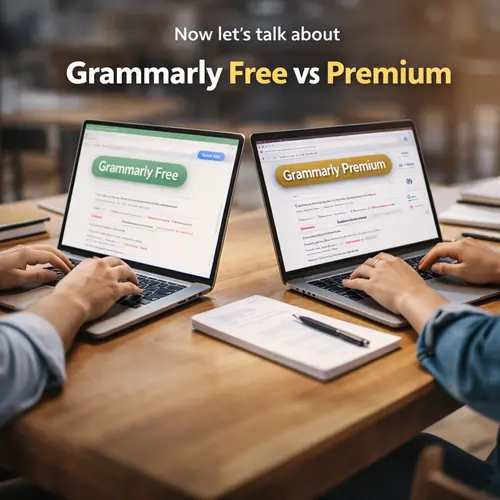
Now let’s talk about Grammarly Free vs Premium
The free version covers basic grammar, spelling mistakes, and punctuation errors. For casual writing like emails or simple documents, the free plan works well. It catches obvious errors quickly. It also gives basic tone detection so you can understand if your message sounds formal, friendly, or direct.
However, Grammarly Premium unlocks the real power of the tool. The premium version offers advanced grammar checks, clarity suggestions, engagement improvements, plagiarism detection, tone adjustments, and rewriting options. If you write professionally or academically, the premium version makes a noticeable difference.
During my testing, Grammarly Premium detected subtle grammar issues that the free version missed. It suggested better sentence flow and reduced wordiness. Instead of just pointing out mistakes, it improved the overall quality of writing. This is important if you create reports, proposals, academic research, or client content.
One of the strongest Grammarly features in 2026 is clarity improvement. Many writing tools focus only on grammar, but Grammarly also improves readability. It suggests shorter sentences when your writing becomes heavy. It replaces passive voice where needed. It even suggests simpler word choices when sentences feel complex.
For professionals, this matters a lot. Clear writing saves time and builds trust. Whether you work in marketing, finance, tech, or education, clean communication makes a difference.
While testing Grammarly for this review, I also browsed discussions on popular tech forums to see what long-term users think. Interestingly, many professionals and students describe it as one of the most dependable writing tools available, especially for everyday communication and business writing.
Now let’s discuss Grammarly pricing 2026
Grammarly Free costs nothing. Grammarly Premium is available as a monthly, quarterly, or yearly plan. The yearly plan gives the best value. While pricing can change, it usually falls into the mid range compared to other AI writing tools. Grammarly Business is designed for teams and includes admin controls and style guides.
Is Grammarly worth it at this price?
For occasional users who only write simple emails, the free version is enough. But for students, bloggers, freelancers, remote workers, and professionals, Grammarly Premium is worth considering. It helps reduce editing time and improves writing quality consistently.
Let’s talk about Grammarly for students
Academic writing requires correct grammar, proper tone, and originality. Grammarly Premium includes a plagiarism checker that compares your writing against billions of web pages. For students, this can prevent serious academic issues. It also helps improve sentence clarity in essays and research papers.
I tested Grammarly with academic style writing, and it performed well. It suggested more formal word choices and corrected sentence structure. However, it is not a replacement for understanding your subject. It is a writing assistant, not a research tool.
Now let’s look at Grammarly for professionals
For business communication, tone matters as much as grammar. Grammarly includes tone suggestions and clarity improvements that help emails sound confident but not aggressive. In 2026, tone detection has improved significantly. It detects whether your message sounds polite, optimistic, concerned, or neutral.
I used Grammarly while drafting client emails and proposals. It helped remove unnecessary words and made the message more direct. Over time, this improves communication skills naturally.
Many professionals also combine Grammarly with productivity platforms like Notion for documentation and collaboration. If you rely on structured notes and team workflows, our in-depth Notion review for teams, students and creators explains how it fits into a modern digital workspace.
Next, we should discuss Grammarly accuracy
No grammar checker is perfect. Grammarly is highly accurate for grammar, punctuation, and sentence structure. In my testing, it caught nearly all common grammar mistakes. It also detected subject verb agreement issues and misplaced commas.
However, sometimes it suggests changes that are stylistic rather than necessary. For example, it may recommend shorter sentences even when longer ones are acceptable. This is where human judgment matters. You should review suggestions rather than accept them blindly.
Let’s explore Grammarly pros and cons
Grammarly’s biggest strength is ease of use. It integrates everywhere and works in the background. Its grammar accuracy is strong, and clarity suggestions are useful. The plagiarism checker is helpful for students and content creators.
On the downside, Grammarly Premium can feel expensive for casual users. Also, sometimes it flags sentences that are technically correct but stylistically different. It may occasionally miss very complex contextual errors. Still, compared to many Grammarly alternatives, it remains one of the most reliable grammar checker software tools available.
Speaking of alternatives, tools like ProWritingAid and other AI writing platforms offer similar features. Some are cheaper. Some focus more on style editing. However, Grammarly wins in simplicity and integration. It feels smooth and reliable.
With the rise of AI writing platforms, many users now compare Grammarly with tools like ChatGPT and Claude before choosing a writing assistant. If you are exploring different AI options, you can also read our detailed comparison of ChatGPT vs Claude vs Gemini to understand how these tools differ in real-world use.
In 2026, many AI writing tools generate full paragraphs. Grammarly does offer rewriting support, but it does not try to replace your voice entirely. It focuses on improving your writing instead of rewriting everything from scratch. That approach feels more natural.
Another important feature is Grammarly Business. For companies managing multiple writers, it allows brand tone control and style guides. Teams can maintain consistent writing quality across departments. This is useful for marketing agencies, startups, and remote teams.
Now let’s answer the main question directly
Is Grammarly worth it in 2026?
If writing is part of your daily routine, yes. Grammarly Premium saves editing time and improves clarity. For students, it reduces grammar mistakes and helps maintain originality. For professionals, it strengthens communication. For bloggers and freelancers, it improves content quality.
If you rarely write long content, the free version may be enough.
When comparing Grammarly free vs premium, the difference is noticeable. The premium plan offers deeper corrections and smarter suggestions. Once you get used to it, going back to the free version feels limited.
One thing I appreciate is that Grammarly does not make writing complicated. It highlights errors in a clean sidebar and explains why something is wrong. That educational aspect helps you improve over time. The user interface is another strong point. It loads quickly and does not slow down your browser. The mobile keyboard works well and checks grammar while typing messages.
Security and privacy also matter. Grammarly states that it does not sell your content. For business users, data protection is important. While no online tool is risk free, Grammarly has maintained a solid reputation over the years.
Since most professionals use multiple online tools daily, securing accounts becomes just as important as writing clearly. You may also want to explore our guide on the best password managers for Windows and Mac in 2026 to keep your digital workspace safe.
To sum up this Grammarly review 2026, the tool remains one of the best grammar checker software options available. It is not perfect, but it is reliable, accurate, and easy to use. The premium version adds real value for serious writers.
If you are a student writing essays, a professional sending reports, or a content creator publishing online, Grammarly Premium can be a smart investment. If you only need basic corrections, the free version works fine.
In a world filled with AI writing tools, Grammarly still stands out because it improves your writing instead of replacing it. That balance is why it continues to stay relevant.
Final verdict
Grammarly is worth it in 2026 for anyone who writes regularly and wants clear, polished communication. It is not just a grammar tool. It is a writing assistant that helps you sound more confident and professional. If writing quality matters to you, Grammarly deserves serious consideration.
Frequently Asked Questions
Is Grammarly better than other AI writing tools?
Grammarly focuses more on improving your existing writing rather than generating full content from scratch. Many AI tools create entire paragraphs, but Grammarly works like an editor sitting beside you. If you want clean, polished writing with grammar accuracy and clarity improvements, Grammarly performs very well. If you are looking for full content generation, you may need an additional AI tool alongside it.
Does Grammarly work well for business communication?
Yes, especially for emails, proposals, and reports. Grammarly helps refine tone and remove unnecessary words, which is important in professional communication. It can make messages sound more confident and clear without changing your voice completely. For remote workers and teams, this can improve day-to-day communication quality.
Can Grammarly replace a human editor?
Not entirely. Grammarly is excellent at catching grammar mistakes and improving clarity, but it cannot fully understand deep context, industry nuance, or creative intent the way a human editor can. It works best as a writing assistant that speeds up editing, not as a complete replacement for professional editing.

Ankit is the tech blogger behind MyTechMarvel.com, sharing practical guides and honest software reviews since 2014. He focuses on Windows and PC tools, mobile apps, account security, and everyday tech solutions to help readers make informed decisions.