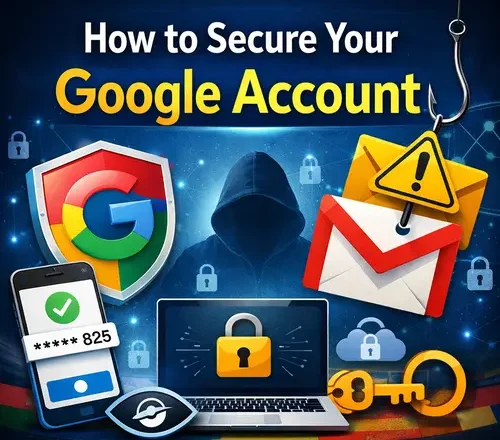
How to secure your Google account is something many people overlook, even though it protects far more than just email. A Google account controls access to Gmail, Google Drive, Photos, YouTube, Chrome data, saved passwords, payment methods, and even third-party apps. If someone gains access to it, they often gain control over your entire digital life.
That is why learning how to secure your Google account is one of the most important steps you can take to protect your personal and professional data. This guide explains Google account security in simple terms, based on real usage and practical experience, not fear-based advice.
In 2014, I started using Gmail heavily for most of my personal and work-related communication. During that time, my Gmail account was compromised due to weak security settings. Thankfully, I noticed the issue early and did not face any major loss. That experience changed how I approach account security. Since then, I have always used two-step verification and kept Google account security as a top priority.
Why Google Account Security Matters More Than Ever
Google accounts are a major target for attackers because they unlock so many connected services. A compromised Google account can lead to identity theft, financial loss, data leaks, and long-term damage to your online presence.
Many people assume Google’s built-in security is enough on its own. While Google does provide strong protection tools, security ultimately depends on how well users configure and maintain their account settings. Most account breaches happen due to weak passwords, poor recovery settings, or phishing attacks rather than system flaws.
Securing your Google account is not a one-time task. It is an ongoing habit. While using the Google accounts you should be very careful every time while receiving emails or text messages, a wrong click can leads to the data theft.
Start With a Strong and Unique Password
Your password is still the first line of defense. A strong Google account password should be unique and not used anywhere else. Reusing passwords across services is one of the most common mistakes people make.
A good password is long, unpredictable, and not based on personal details. Avoid using names, birthdays, or simple patterns. If remembering complex passwords feels difficult, using a password manager can help generate and store strong passwords safely. Changing your password once in a while is also a good practice, especially if you suspect your account may have been exposed in a data breach.
I prefer using strong and uncommon passwords that are difficult to guess. While they are not easy to remember at first, it becomes natural over time. For me, this is a matter of security. I do not want to compromise my account safety, personal identity, or financial information by using weak or reused passwords.
Using strong and unique passwords is easier when you rely on trusted password managers instead of trying to remember everything manually.
Enable Two Step Verification Immediately
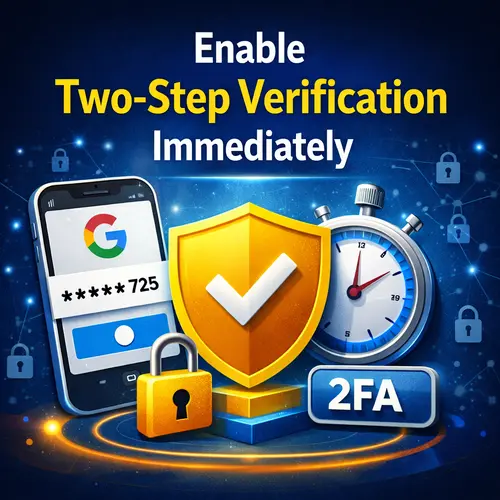
One of the most effective ways to protect your Google account from hacking is enabling two step verification. This adds an extra layer of security beyond your password. With two step verification enabled, logging in requires something you know, your password, and something you have, such as a phone or security key. Even if someone steals your password, they cannot access your account without this second step.
Google offers several verification methods, including SMS codes, authentication apps, and physical security keys. Using an authentication app or security key is more secure than SMS, especially for users who travel or work remotely.
I personally find the Google Authenticator app easy to use and reliable. Over time, I have become comfortable with it and now prefer this method for two-step verification. It adds a strong layer of security without making the login process complicated.
Review Your Google Account Security Settings
Google provides a dedicated security section where you can review recent activity, connected devices, and login alerts. This area is often ignored, but it is extremely important. Checking this section helps you see where your account is logged in and whether there are any unfamiliar devices or locations. If something looks suspicious, you can remove access immediately and change your password.
Regularly reviewing Google account security settings helps catch problems early before they turn into serious issues. This section helped me identify unusual activity when my Google account was compromised in the past. By reviewing these settings, I was able to spot the issue early and take action before it turned into a serious problem.
Secure Your Account Recovery Options
This is also one of the most important steps to secure your account. Account recovery settings are often overlooked, but they play a critical role if you ever lose access to your account. Recovery email addresses and phone numbers help you regain control if your password is forgotten or your account is compromised.
Make sure your recovery email is secure and accessible. Avoid using an old email account that you no longer check. Your recovery phone number should be current and under your control. Strong recovery settings make it much harder for attackers to lock you out of your own Google account. I always keep this step in mind and keep my recovery email always accessible and running.
Watch Out for Phishing Attempts
Phishing is one of the most common ways attackers gain access to Google accounts. These attacks usually come in the form of fake emails, messages, or websites that look like official Google communications.
Phishing messages often create urgency, such as claiming your account will be suspended or that unusual activity has been detected. They try to trick you into clicking a link and entering your login details. Always check the sender’s address carefully and avoid clicking suspicious links. When in doubt, open a new browser tab and visit Google directly instead of using links from messages.
As a blogger, my email address is publicly available in many places, so I receive a large number of emails every day. While many of them are filtered by spam protection, some still reach my inbox. With experience, it has become easier for me to recognize which messages are phishing attempts and which ones are genuine.
Check Third Party App Access Regularly
Many apps and websites allow you to sign in using your Google account. While this is convenient, it also means those services may have access to parts of your account. Over time, you may forget which apps you granted access to. Some of these services may no longer be in use or may not need access anymore.
Reviewing and removing unnecessary third-party app access reduces your risk. Only keep access for apps you trust and actively use. This is also one of the important security step, don’t ignore it.
Protect Your Gmail Account Carefully
Gmail is often the gateway to other accounts. Password resets, security alerts, and important notifications are usually sent to email. Securing your Gmail account is a key part of securing your Google account. Enable spam filters, avoid clicking unknown links, and be cautious with email attachments.
If someone gains access to your Gmail, they may be able to reset passwords for other services. Keeping Gmail secure protects much more than just your inbox.
Use Google’s Security Checkup Tool
Google offers a built-in security checkup tool designed to guide users through key security settings. It reviews your password strength, two step verification status, recovery options, and device access.
Running this checkup only takes a few minutes but can reveal important gaps in your security setup. Google also provides recommendations based on your account usage. Using this tool regularly helps keep your Google account security up to date. I use this tool many times a year.
Secure Devices Connected to Your Google Account
Your Google account security is closely linked to the devices you use. If a device is compromised, your account may be at risk even with strong settings. Make sure your computers and phones are protected with passwords, PINs, or biometric locks. Keep operating systems and browsers updated to reduce vulnerabilities.
Avoid signing into your Google account on public or shared devices. If you must, always sign out completely afterward. In my office, this is one of the most important security practices we are required to follow strictly. It is a simple habit, but keeping it in mind at all times can prevent serious account security issues.
Be Careful on Public Wi-Fi Networks
Since this point is very important so I published a complete guide on this topic, already on my blog. Actually, public Wi-Fi networks can expose your data if not used carefully. Logging into sensitive accounts on unsecured networks increases the risk of interception.
If you often work from cafes, airports, or hotels, avoid accessing important Google account settings on public Wi-Fi. Using trusted networks or secure connections reduces risk. Being mindful of where and how you log in is an important part of protecting your account.
When accessing your Google account on shared networks, it is also important to understand how hackers exploit public Wi-Fi on laptops and why these networks can expose your login details.
Monitor Account Activity and Alerts
Google sends security alerts when it detects unusual activity, such as new logins or password changes. Do not ignore these alerts. Reviewing activity logs helps you understand how your account is being accessed. If you notice logins from unfamiliar locations or devices, take action immediately.
Early detection can prevent serious damage and help you regain control quickly. As mentioned earlier, this feature helped me detect unusual activity in my Google account at an early stage.
Keep Your Google Account Private
Privacy settings are also part of account security. Review what information is visible publicly and what data is shared with Google services.
Limiting unnecessary data sharing reduces exposure. Adjust settings related to ads, activity history, and location tracking according to your comfort level. While privacy and security are not the same, they work together to protect your digital identity.
Common Mistakes That Put Google Accounts at Risk
Many account compromises happen due to simple mistakes. Reusing passwords, ignoring security alerts, and falling for phishing messages are common causes. Another mistake is assuming security setup is complete after initial configuration. Security needs regular attention, especially as new devices and services are added.
While researching this topic, I found that most Google account phishing cases happen due to password reuse and phishing messages. Keeping this in mind and avoiding these common mistakes can significantly reduce the risk of account compromise.
Is Google Account Security Enough for Business Users?
For professionals and small business users, Google account security is even more important. Business email, documents, and collaboration tools often depend on Google services.
Using stronger authentication methods, reviewing access more frequently, and educating team members about phishing can make a big difference. Business users should treat Google account security as part of their overall digital security strategy.
Final Thoughts on Securing Your Google Account
Learning how to secure your Google account is one of the smartest digital safety steps you can take. Google provides strong tools, but they work best when configured properly. Security does not need to be complicated. Simple habits like strong passwords, two step verification, careful app access, and regular reviews go a long way.
Your Google account is the key to many important services. Protecting it protects much more than just one login. This becomes even more important when you use your Google account for office or work-related purposes, where sensitive data and communication are involved.

Ankit is the tech blogger behind MyTechMarvel.com, sharing practical guides and honest software reviews since 2014. He focuses on Windows and PC tools, mobile apps, account security, and everyday tech solutions to help readers make informed decisions.